● Self-hosted · Windows · macOS · Linux

Manage your entire laptop fleet from one place.

One agent inventories every Windows, macOS and Linux machine you own, matches the software on it against published security advisories, and lets you push the fix — from a console you host yourself.

Self-hosted Windows, macOS & Linux One lightweight agent
Fleet dashboard live
Devices
187
Online
103
Alerts
7
Critical
4
Fleet posture
Encrypted88%
Firewall95%
Patched71%
Windows139
Vulnerable software
critCVE-2024-1111178
highCVE-2024-201942
highCVE-2024-228817
critCVE-2024-30079
Live inventoryHardware and software, always current
Vulnerability matchingAdvisories against what you actually run
Software deploymentWindows, macOS and Linux
Security postureEncryption, firewall, patching
Remote actionsOne device or the whole fleet
Multi-companyIsolated tenants and billing

See a live fleet — no signup

Read-only demo — explore a live fleet with sample data. No changes are saved.

Emaildemo@fleetdesk.local
Passworddemo1234
Open the demo → Read-only · nothing you do is saved
Everything IT needs

From "what do I have?" to "what's at risk?"

One lightweight agent gives you a live picture of every machine — and turns that picture into the list of things worth fixing today.

Vulnerable software

Every application you inventory is matched against published security advisories. See what is exposed, on how many machines, and which version fixes it — then push that version from the same screen.

Live inventory

Hardware, software, disks, battery health, OS build and updates — collected from every device and always current. Nothing to run, nothing to reconcile.

Monitoring & alerts

Offline devices, failing disks, weak battery, missing encryption or antivirus — surfaced the moment they happen, not at the next audit.

Software deployment

A catalogue of the apps you actually install, each carrying the right identifier per platform. Push to the whole fleet, a group, or one laptop — winget on Windows, a vendor package on macOS, apt or dnf on Linux.

Wireless & peripherals

Which network each machine is on, its signal strength and encryption, and every USB and Bluetooth device attached to it.

Firewall & web filtering

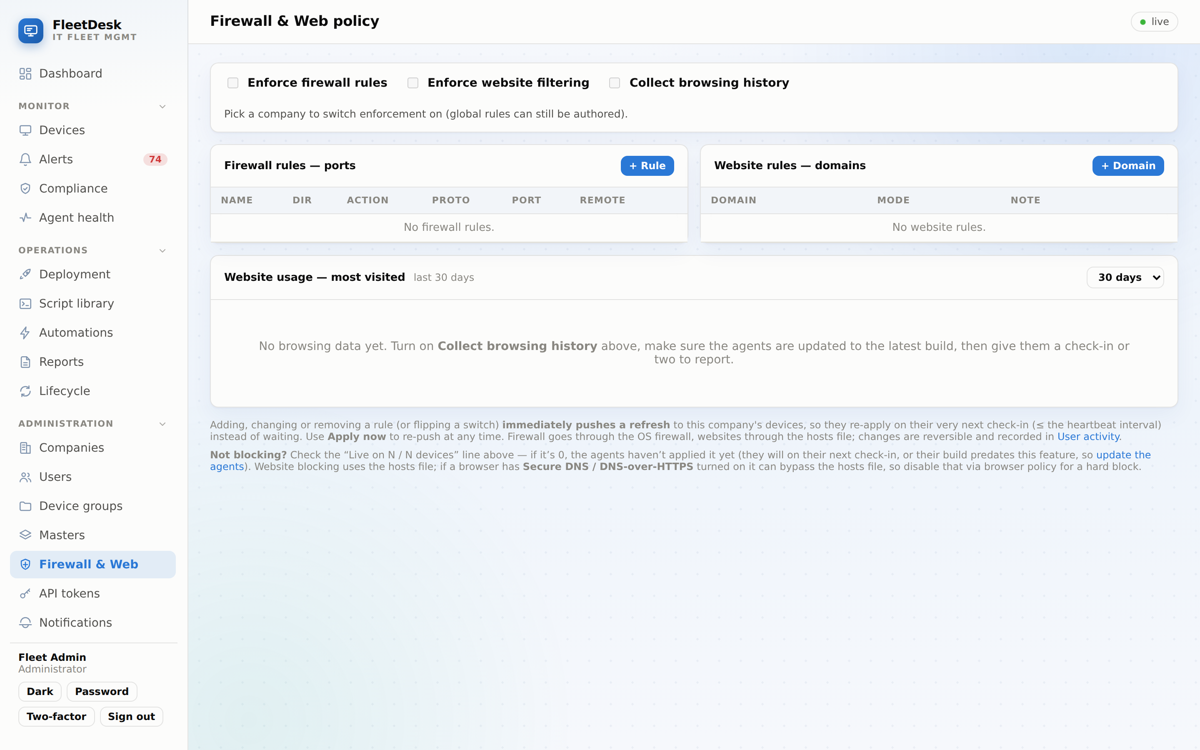
Block ports and websites company-wide. Changes push to agents instantly and are fully reversible.

Compliance posture

Encryption, firewall, endpoint protection, patch state, Secure Boot and device age — checked continuously, per company, with a remediation for each.

Lost / stolen mode

Lock a device remotely, show an "if found" message on the lock screen, and see its last-seen location.

Remote actions

Lock screen, set default printer, set wallpaper, clear temp, restart services — one device or the whole fleet.

Automations

Turn an alert into an action — run a script, remediate, reboot — automatically, with cooldowns and approvals.

Browser history & usage

For company-owned devices: see browsing activity and most-visited sites, gated behind an audited per-company switch.

Multi-company & licensing

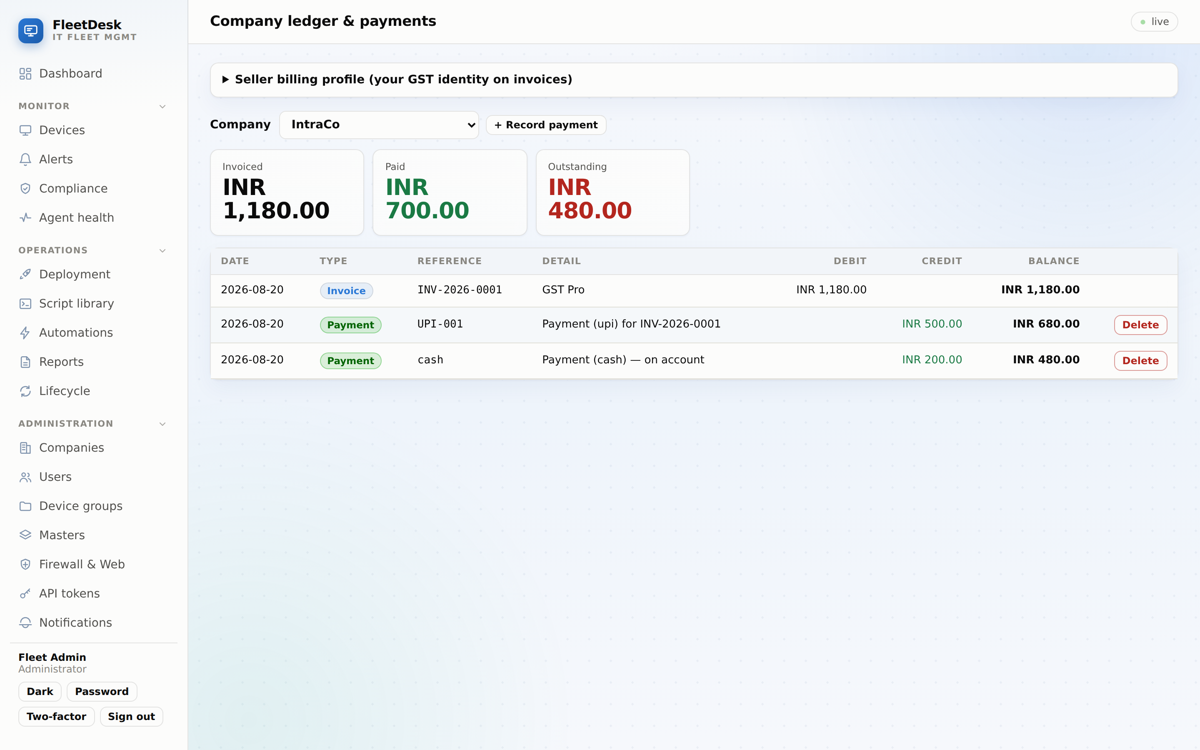
Isolated tenants, per-company plans, seat limits, feature-gating, GST invoices, payments and a ledger.

See it in action

A console your whole IT team will love

Clean, fast and dense with exactly the information you need — nothing you don't.
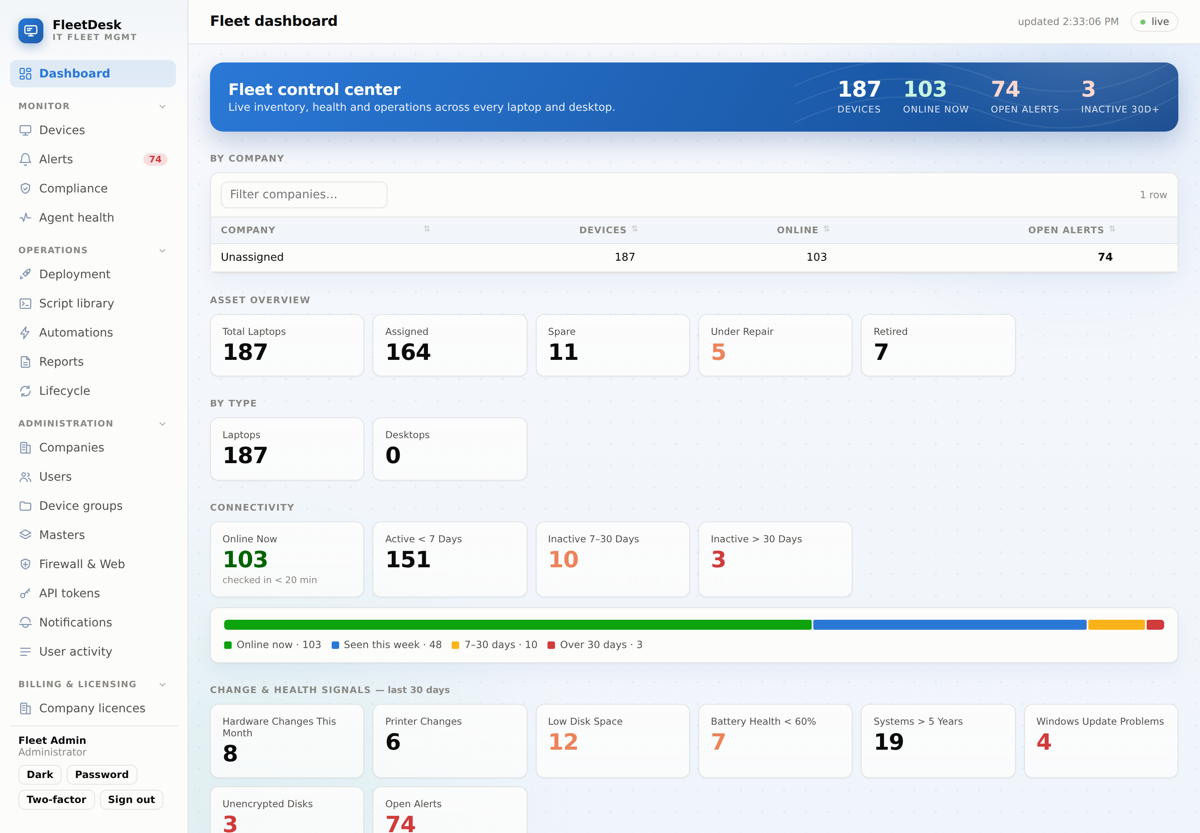
One live dashboard — devices, health and alerts across the whole fleet.
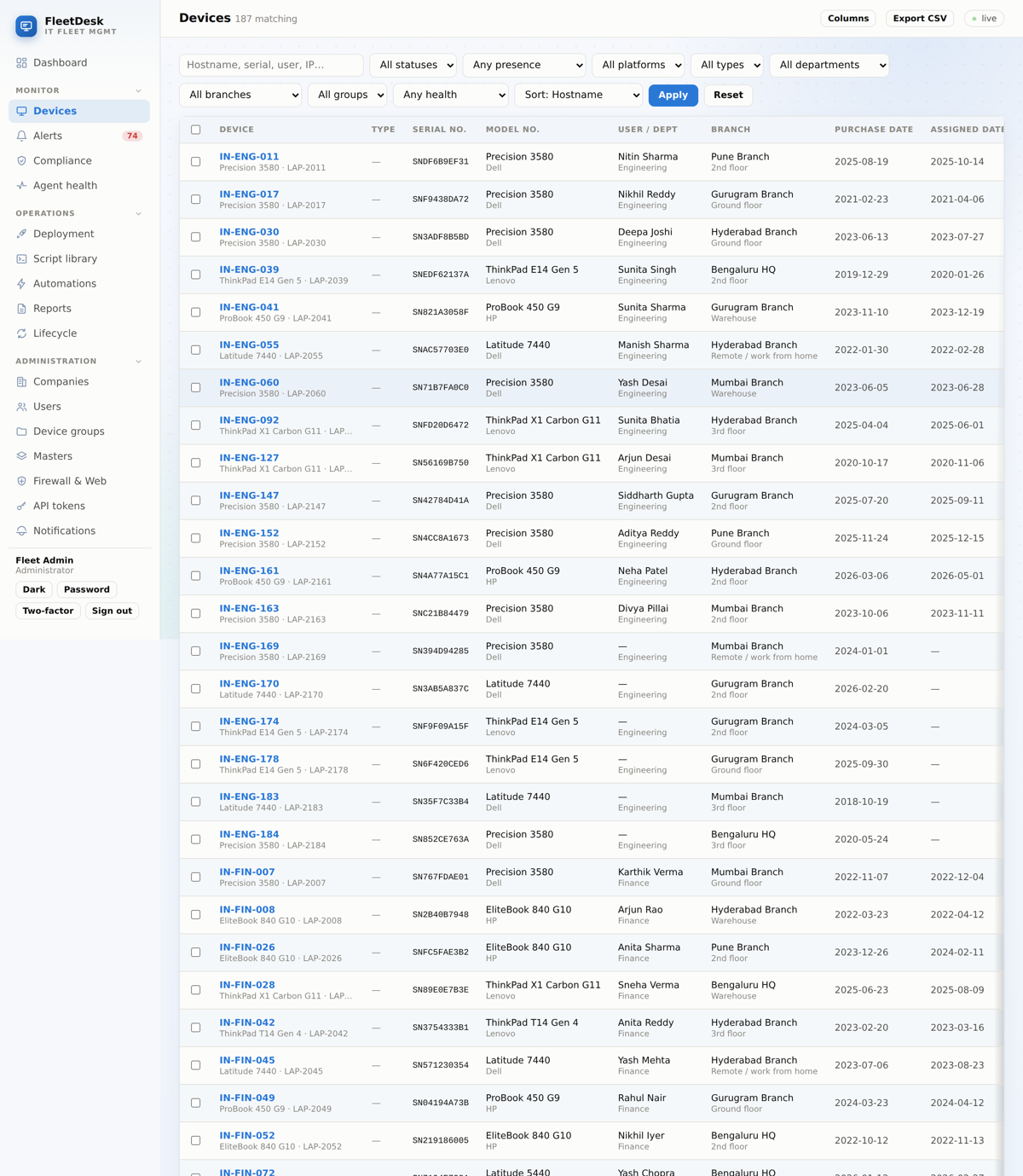
Every machine at a glance, filterable by OS, department, branch and status.
Company-wide firewall & web filtering that pushes to agents instantly.
Per-company licensing, GST invoices, payments and a full ledger.
Up and running fast

Three steps to a managed fleet

1

Install the agent

Download your company's installer and roll it out. Each device auto-enrolls into your company — nothing to sort by hand.

2

See everything

Within seconds every machine reports in — hardware, software, health and location — on one live dashboard.

3

Take control

Push policies, lock a lost laptop, deploy software or block a site — for one device or the entire company at once.

Simple, per-device pricing

Plans that scale with your fleet

Start free, then pay only for the devices you manage. Upgrade, add features, or add seats any time.

Free Trial

30-day evaluation, up to 25 devices.
Free
Up to 25 devices
  • Inventory, monitoring & alerts
  • Remote actions & lost-mode
  • Firewall & web filtering
  • Script library
  • Automations
  • Remote support / assist
  • Lost / stolen mode
  • Browser-history collection
  • Remote software deployment
  • LAN device discovery
Get started

Starter

Core inventory, monitoring & alerts.
₹99/device / mo
Unlimited devices
  • Inventory, monitoring & alerts
  • Remote actions & lost-mode
  • Core fleet management
Get started
Most popular

Business

Adds remote ops, firewall & web control.
₹199/device / mo
Unlimited devices
  • Inventory, monitoring & alerts
  • Remote actions & lost-mode
  • Firewall & web filtering
  • Script library
  • Remote software deployment
  • Lost / stolen mode
Get started

Enterprise

Everything, including automations, browser history & remote support.
₹349/device / mo
Unlimited devices
  • Inventory, monitoring & alerts
  • Remote actions & lost-mode
  • Firewall & web filtering
  • Script library
  • Automations
  • Remote support / assist
  • Lost / stolen mode
  • Browser-history collection
  • Remote software deployment
  • LAN device discovery
Get started
Add premium features to any plan
Automations · ₹39/device Browser history · ₹49/device LAN device discovery · ₹39/device Lost / stolen mode · ₹29/device Remote support · ₹79/device
Loved by IT teams

What our users say

★★★★★
“We rolled FleetDesk across three offices in a weekend. Now I can see every laptop, push a policy and lock a lost device without leaving my desk.”
I
IT Manager150-device fleet
★★★★★
“The per-company setup is perfect for us as an MSP — each client is fully isolated and the GST invoicing is built right in.”
M
Managed Services ProviderMulti-tenant
★★★★★
“Inventory that's actually accurate, and firewall rules that reach every machine in seconds. It replaced two separate tools for us.”
S
Systems AdministratorManufacturing
Built for trust

Security & compliance, by default

  • Two-factor authenticationPer-company enforced TOTP with Google / Microsoft Authenticator, plus password-recovery OTP by email.
  • Strict per-company isolationEvery client sees only their own devices, users and data — enforced on every page and API.
  • Encrypted secrets at restTOTP seeds and SMTP credentials are encrypted with a key kept out of database backups.
  • Audited, least-privilege accessAdmin, manager and viewer roles; every change recorded with who, what and when; a request for another tenant's data answers as if it does not exist.

Your data, your server.

FleetDesk is self-hosted — it runs on your infrastructure, so your fleet's data never leaves your control.

2FAPer-company enforced
AuditFull activity log
RolesAdmin · Manager · Viewer
Questions

Frequently asked

Which operating systems are supported?

Windows, macOS and Linux, all managed from the same console with a single lightweight agent.

How does FleetDesk know which software is vulnerable?

It already records the name, version and publisher of every application on every device. Each night it pulls published advisories and matches them against that inventory, so you get a list of real exposures on real machines rather than a generic bulletin. Where the advisory names a fixed version, you can deploy it from the same page. Nothing extra is collected from your devices to make this work.

How are devices assigned to a company?

Each company gets its own enrollment installer. When the agent is installed, the device automatically appears under that company — no manual sorting, and no cross-company visibility.

Is browsing history collection legal?

It is intended for company-owned devices where monitoring is disclosed (e.g. in the joining letter / IT policy). It is off by default and gated behind an audited per-company switch you control.

Can I change plans or add features later?

Yes. Plans, seats and per-feature add-ons can be changed any time from the billing console, and invoices reflect the change.

Do you support GST invoicing?

Yes — invoices use financial-year numbering, split CGST/SGST or IGST by state, include SAC codes and round-off, and every company has a ledger with payment tracking.

Ready to take control of your fleet?

Log in to your portal to see every device, push a policy, or generate an invoice — in minutes.